
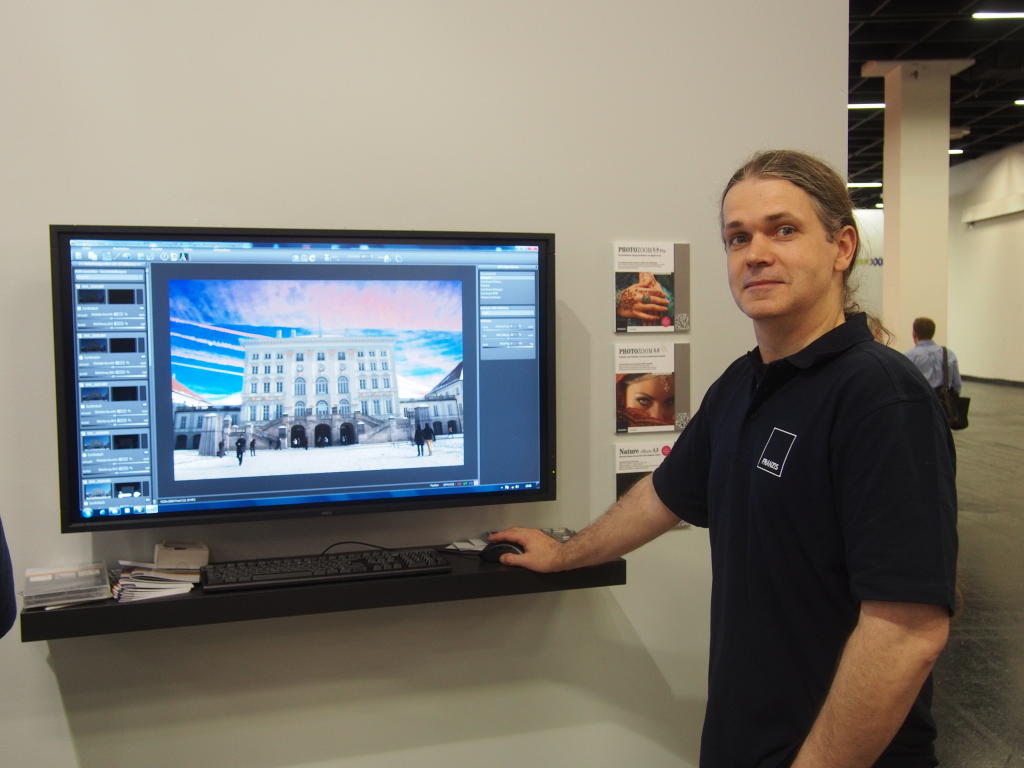
Back in 2012 – yes, yes, the old man’s reminiscing about the good old days – I met Michael Piepgras at Photokina. That’s the bloke on the right, next to the screen. And on the screen is HDR Projects Platin – an HDR programme with a few pretty cool features that even Photoshop couldn’t do back then – namely retouching within a 32-bit file. Oh yes, here’s the link to the article from back then.
In 2020, Franzis didn’t just discontinue the photo books, but also the software division. And just as I had the rights to my books transferred to me, Mr Piepgras secured the rights to his software and set up his own company to distribute it. Accelerated Vision. ‘Distribute’ isn’t quite the right word, actually, as distribution is handled by Franzis, Ashampoo (with whom I’ve had my share of trouble in the past) and Somaja Verlag.
I’m currently writing the Oly practical guide, and in it I’ve mentioned the old HDR Projects software. That’s no longer available, so I checked to see which version is currently in circulation – #11. (I always make a point of checking for the latest software versions in all my books. If only because, occasionally, software I’ve previously recommended is no longer available. Autopano Pro by Kolor, for example.)
And I was absolutely amazed at what has become of this ‘HDR Projects’ in the meantime. A complete ecosystem of tools for image post-processing. I thought the tool that lets you create a depth map from ordinary JPGs was brilliant. The software recognises what’s in the foreground and background and can manipulate the different areas differently. Photoshop has been able to do that for a few months now, too. Just not quite as impressive.
And there’s another thing Photoshop can do now: ‘re-expose’ an image. You take an image and tell it, ‘expose this differently’. You can then specify a green light source from above. Photoshop then uploads the image to the cloud and uses generative AI to create a different lighting scenario. It costs 30 credits per image. With a standard Firefly subscription, you can do this 66 times a month. So you’d better get the lighting right for the wedding straight away.
Or buy HDR #11 from Piepgras. Even version #10 could create depth maps – two years ago. And you could distribute any light sources within that depth map to re-light the scene. Naturally, it helps if you have more data. So the software first creates an HDR from the image, allowing internal calculations to be performed using 32-bit floating point. The better the data set, of course, the better the result will be.
He has since added a utility programme that generates precisely these depth maps in higher quality.
And here’s the clever bit: the AI required for this runs locally – or rather, it’s simply maths. So you can process as many images as you like with it, and the images never leave your local computer.
It may say ‘AI’ everywhere, but it all runs locally. With another utility programme, you can create your own art filters. You take an image, tinker with it to create something you think looks cool (if you’re feeling playful, you can even use another application), and then feed both images into the programme, which uses them to build an art filter that can then be applied to any other image. And this art filter is then accessible in all modules.
The possibilities are immense.
Just a quick note. The links are in the text above. I wrote to Mr Piepgras; he still remembered me and it immediately felt like we were kindred spirits again. Once I’ve got the book ready, I’ll take a closer look at the tools and write more detailed articles. If anyone fancies having a go at it right now, there’s a YouTube channel on the subject here. Oh, and do have a look at Somaja Verlag for the prices. The stuff is absolutely affordable – in the same ballpark as my PDFs.
And no, this isn’t an affiliate link – I don’t get a penny out of it. I just think the bloke is brilliant, and so are his programmes.
“… weil es eben gelegentlich Software, die ich mal empfohlen habe, nicht mehr gibt. Autopano Pro von Kolor zum Beispiel.”
Die erweiterte Version Autopano Giga 4.4.2 mit noch einigen Möglichkeiten mehr gibt es nach wie vor und kann inzwischen sogar kostenlos genutzt werden.
https://autopanogiga.com
Ja, leider nur als Hobbyprojekt – und hat diverse Probleme mit Win11 und neueren MacOS. Und zwar nicht nur bei der Installation, sondern auch beim Betrieb.
Es gibt noch andere Alternativen für Pano Stichers:
– Hugin – Panorama photo stitcher, hat eigene Webseite, und download via Sourceforge . net
oder
– Microsofts Image Composite Editor (ICE) 2.0.3, leider nicht mehr unterstützt durch MS, aber noch als download zu finden auf z.B chip . de od heise . de. ICE läuft natürlich nur auf Windows.
Windows-only – sehr schade, bin ich leider raus.
Ja, wirklich sehr schade…
Ich habe jahrelang die Programme von Michael Piepgras genutzt und war immer wieder überrascht welche Verbesserungen und Erweiterungen im Laufe der Zeit dazu kamen.
Sehr informativ waren die von Ihm durchgeführten Webinare.
Eines Tages wurde nur noch Windows unterstützt und da musste ich leider passen.